
Verify Every Hire
AI-Native Hiring Intelligence Protect Every Interview. Hire Specialist Talent.
AI structures the entire hiring workflow—from role definition, résumé analysis, and role-specific scorecards that help non-specialist managers evaluate specialist candidates, to interview protection, candidate comparison and rediscovery across open roles, ATS operations, and audit-ready evidence—while your team owns every decision.
From Applicant Volume To Decision Confidence
Move from applicant volume to an evidence-backed shortlist.
Evidize turns each hiring stage into a clearer decision: define the evidence standard, prioritize who to interview, verify interview authenticity, capture comparable proof, and build an evidence-backed shortlist.
- 01 DraftEvidence standard
Draft an evidence-ready scorecard
Paste the job description you already use. Evidize extracts the skills, outcomes, risks, and proof points that matter, then drafts tailored questions, rating levels, and follow-up prompts so every person conducting the interview looks for the same evidence.
- Role brief captured Paste the role brief once; skills, outcomes, risks, and proof points are pulled out automatically. Pasted
- Scorecard drafted Questions, rating levels, guidance on what to listen for, and follow-up prompts are drafted around what the role actually needs. Built
- Shared review standard Every candidate is measured against the same tailored evidence standard from the start. Ready
Use the controls to inspect each highlighted viewThe shared evidence standard becomes the basis for candidate prioritization. - 02 PrioritizeCandidate priority
Prioritize candidates by fit and evidence gaps
Evidize ranks applicants using role-fit signals, evidence gaps, and next actions. Hiring teams can review the strongest matches first while keeping uncertainty and missing proof visible.
- Review time protected Resumes, qualifiers, and role-fit signals are checked before managers open individual profiles. Filtered
- Best-fit candidates first Large applicant pools become a prioritized queue with the evidence behind each fit ranking. Prioritized
- Gaps visible early Managers see fit signals, risks, missing proof, and suggested next steps for each candidate. Flagged
Use the controls to inspect each highlighted viewPrioritized candidates carry their fit signals and open questions into the interview. - 03 VerifyInterview integrity
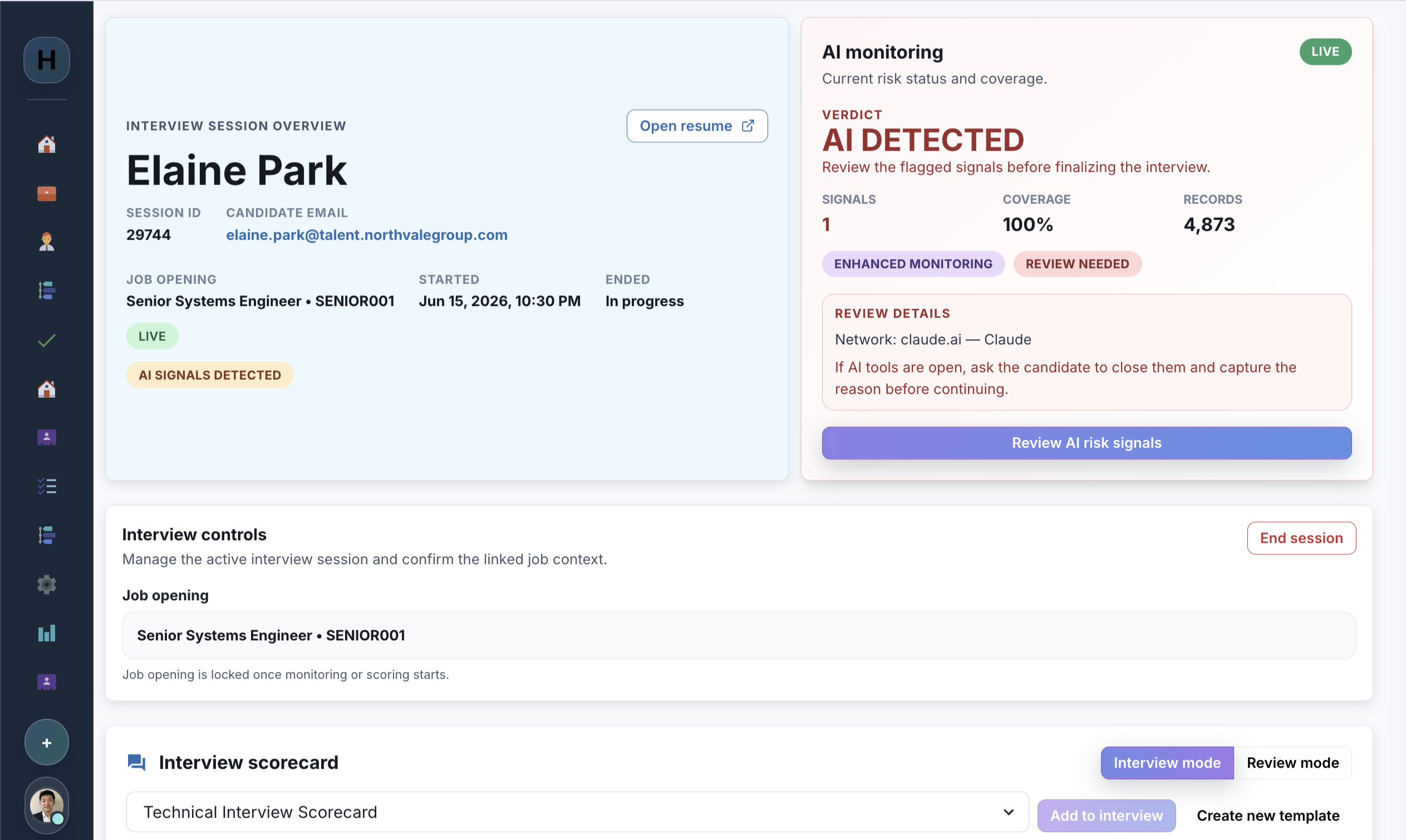
Verify interview authenticity with live evidence
Evidize brings interview checks and results together in one clear view, helping your team review any concerns, ask follow-up questions, and decide what to do next.
- Pre-call checks included Pre-call checks screen for disallowed AI tools before the candidate enters the interview. Checked
- Interview details in one place Checks and results stay with the interview, making it easier for your team to review any concerns. Recorded
- Reviewable result ready Hiring teams receive the result, available evidence, and recommended follow-up before recording the outcome. Ready
The reviewable screening result joins the evidence captured during the interview. - 04 CaptureInterview evidence
Capture decision-grade evidence
Each interview becomes comparable proof instead of a scattered debrief. Reviewers score the same standards, capture supporting quotes and observations, use guided follow-ups, and leave with a record that explains the decision.
- Comparable proof for every interview Role-specific prompts keep every reviewer anchored to the same standard. Scored
- Evidence captured by question Reviewers save supporting quotes and observations by question instead of relying on scattered debrief notes. Saved
- Guided follow-ups What to look for and follow-up prompts stay available while the interview is scored. Guided
Use the controls to inspect each highlighted viewScores, quotes, and open gaps flow into the final shortlist. - 05 DecideShortlist confidence
Build an evidence-backed shortlist
Hiring teams review role alignment, interview and scorecard context, evidence freshness, and remaining gaps in one candidate workspace. Every consequential next step stays with an authorized reviewer.
- Reusable evidence trail Past interviews, résumé summaries, and recorded outcomes stay available to permitted reviewers. Indexed
- Verification work stays visible Items to verify remain separate from missing information so the next reviewer knows what to ask. Focused
- Human-owned next step Authorized reviewers see alignment, concerns, freshness, and open work before recording the next action. Reviewable
Use the controls to inspect each highlighted view




Designed for adoption
Works with the hiring workflow you already have.
Keep recruiters in Outlook, keep access in Microsoft 365, and add interview protection without a heavyweight rollout.
In Outlook
Outlook appointment workflow
Start from the appointment being composed, prefill candidate and meeting details, and insert screening instructions into the invite.
Familiar access
Microsoft 365 SSO
Use existing Microsoft 365 identities and tenant controls without introducing another password.
Microsoft Entra ID sign-in
Fits your workflow
Lightweight deployment
Add pre-call and in-call screening without replacing the hiring workflow your team already knows.
Rollout scoped to your environment
Next step
Put decision-grade evidence into every interview.
See how interview protection, human review, and evidence capture fit your hiring workflow.